Additional Resources
IHI Model for Improvement Videos
The following short videos give a brief introduction to why the Model for Improvement is important in health care and summarize steps to implementing the Model.
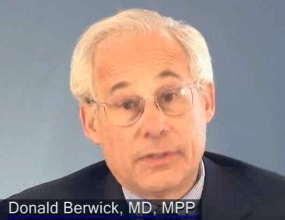
- Learning from Medical Errors, Part 2
- In this 2-minute video segment, Don Berwick, MD and IHI President Emeritus, discusses a medical error that led him to a career in health care improvement.
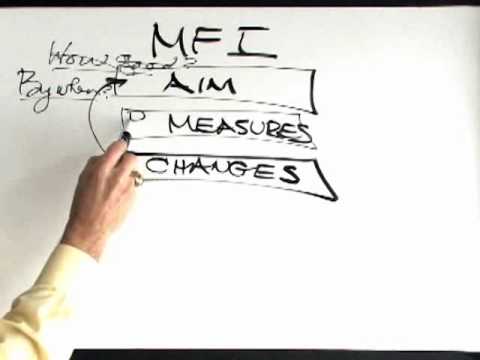
A 3-minute video that introduces the IHI Model for Improvement.
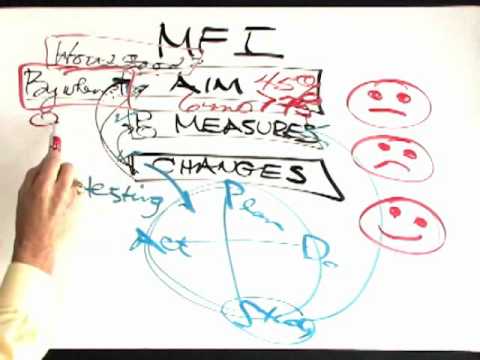 Model for Improvement, Clip 2
- A 3-minute video that wraps up steps in the IHI Model for Improvement.
Run Charts
The following videos and article are provided as a resource. To test your knowledge of interpretation rules, take the quiz below. Answers are listed after the quiz.
Two IHI videos on run charts (both about 7 minutes) –
BMJ Quality & Safety article –
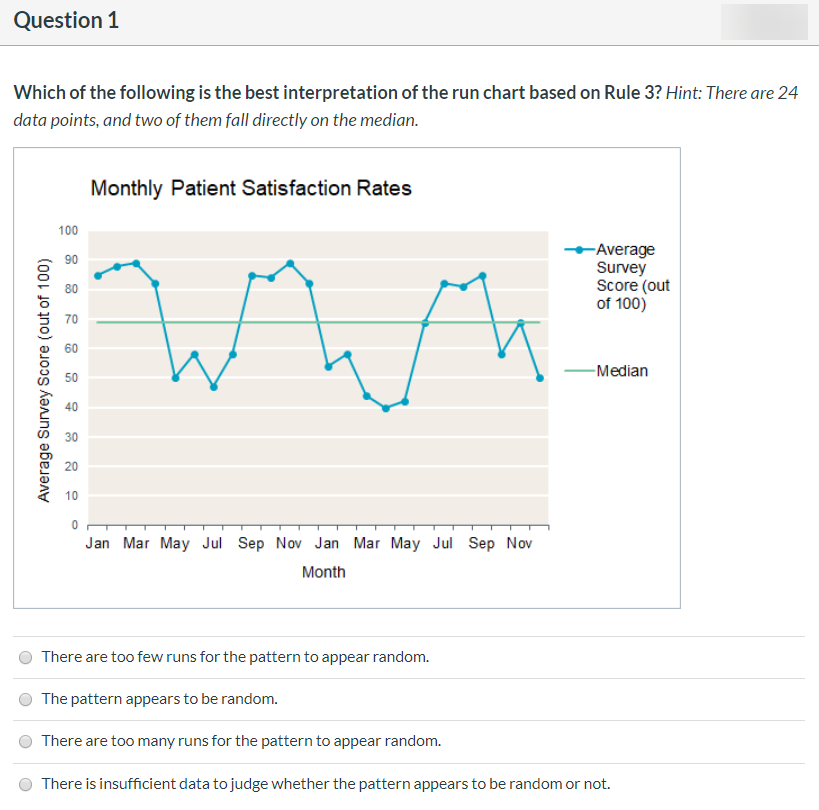
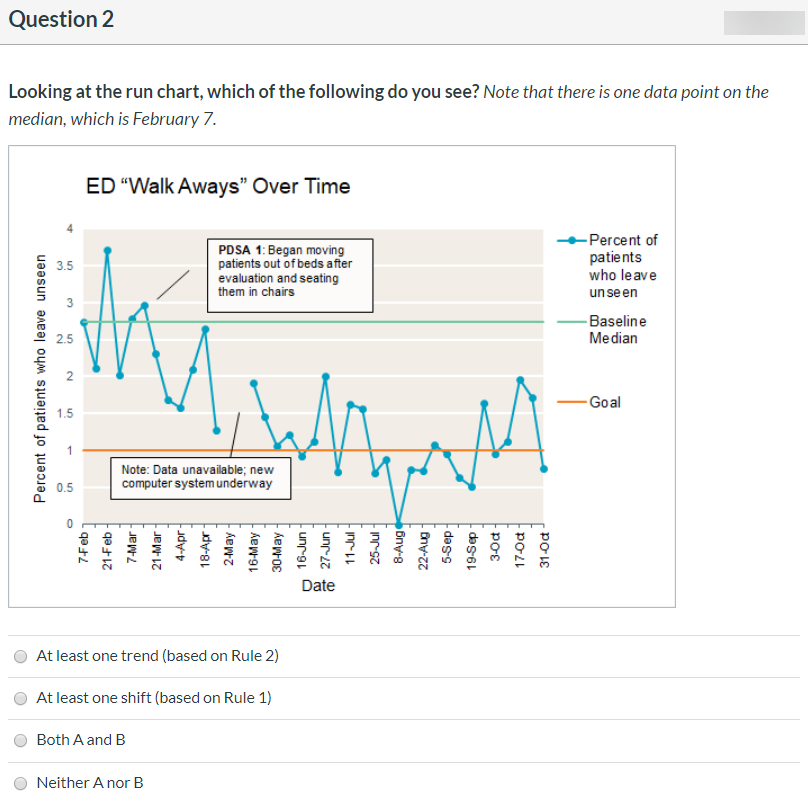
Run Chart Quiz (adapted from Institute for Healthcare Improvement materials)


Run Chart Quiz Answers
Option 1 – There are too few runs for the pattern to appear random
Rule 3 offers evidence that the pattern is not random because there are too few runs. According to the run chart rules, there should be at least 7 runs based on the number of useful data points (22); we count only 6.
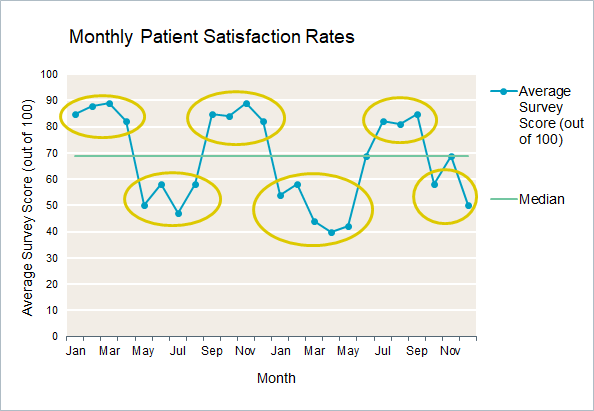 Maybe a special program was running during the months with increased satisfaction, or maybe there was construction work happening around the hospital during the months when rates were lower. You could replicate the positive programming or find ways to alleviate the frustration of delays due to construction. The point is: You still don’t know exactly what’s affecting the patient satisfaction rates, but you have a launching point for investigation.
Option 2 – At least one shift (based on Rule 1)
There is a shift. Beginning March 21, we can see a long run of 31 data points below the baseline median. We do NOT see six or more consecutively increasing or decreasing data points anywhere on the chart, so Rule 2 does not apply.
Option 1 – Yes
You can see that the long run you detected took place after the first PDSA cycle and is below the baseline median in this chart. Altogether, this pattern strongly supports the contention that the changes the team made led to improvement.
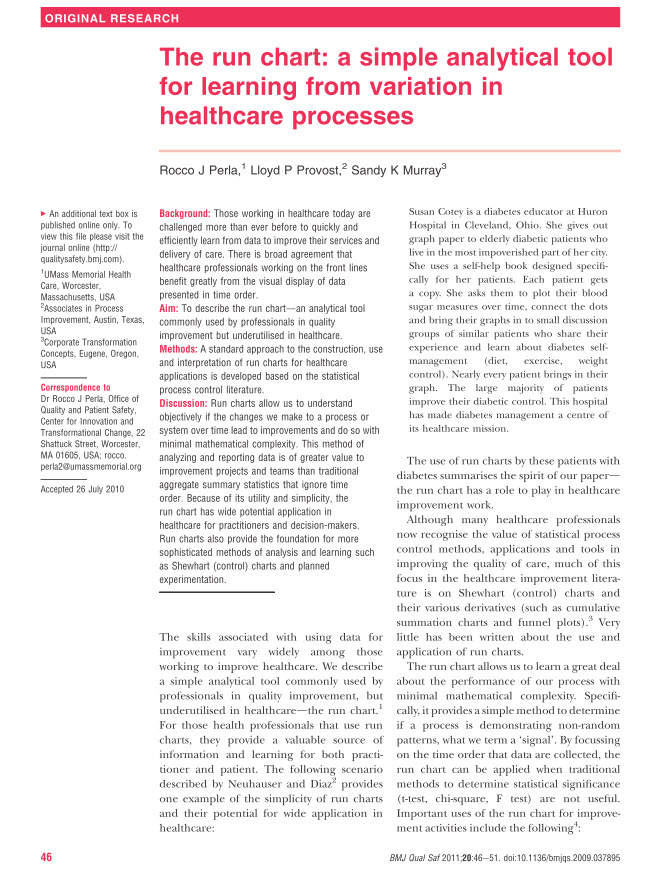
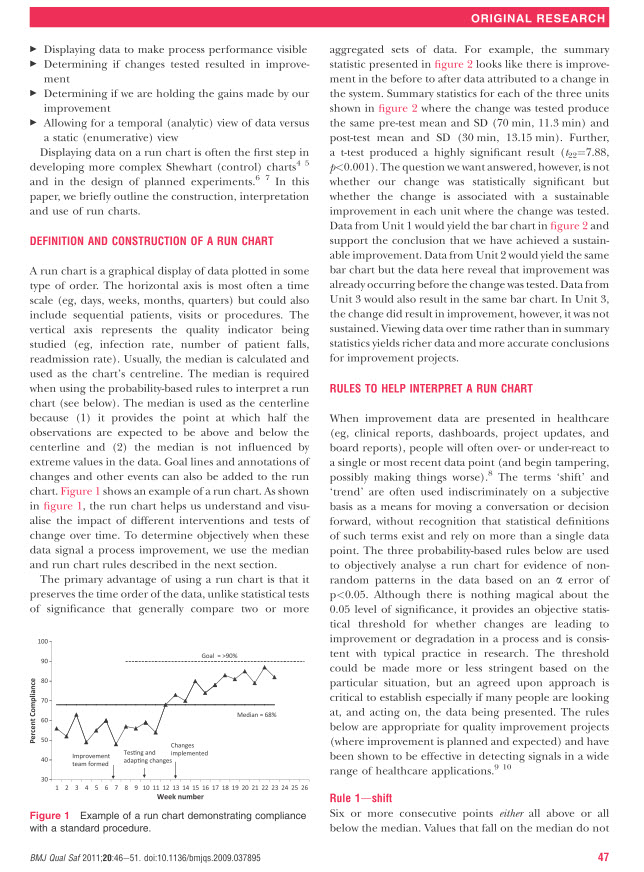
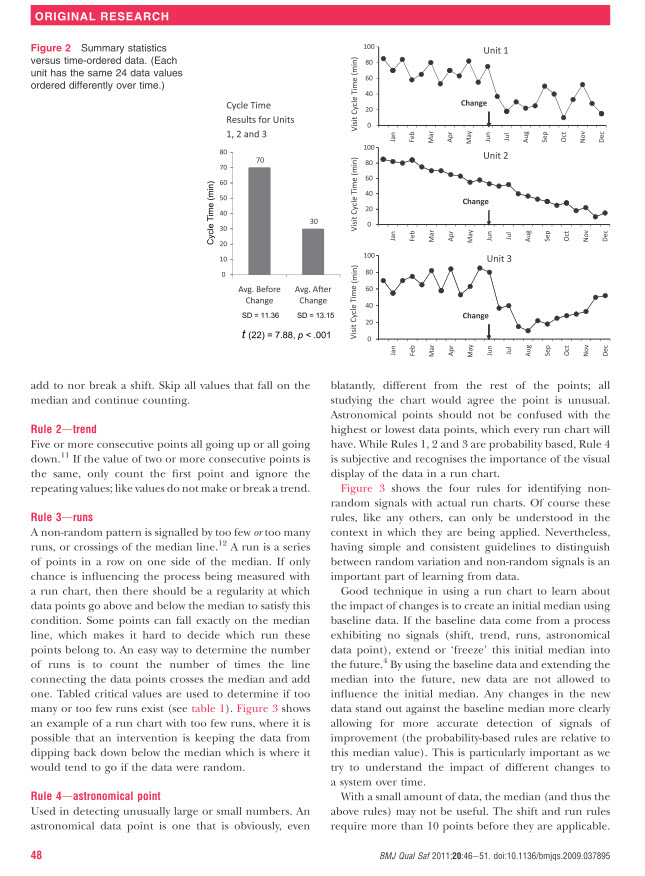
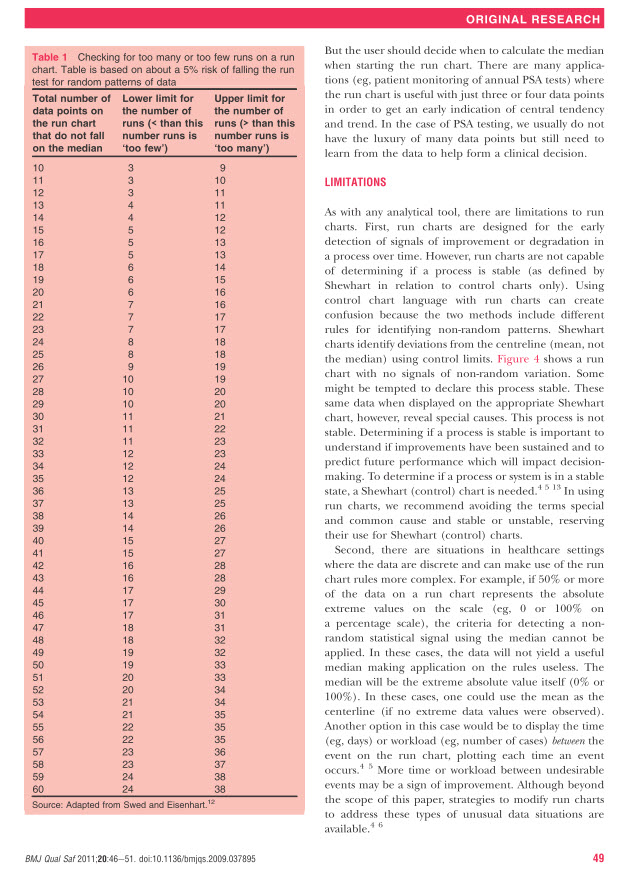
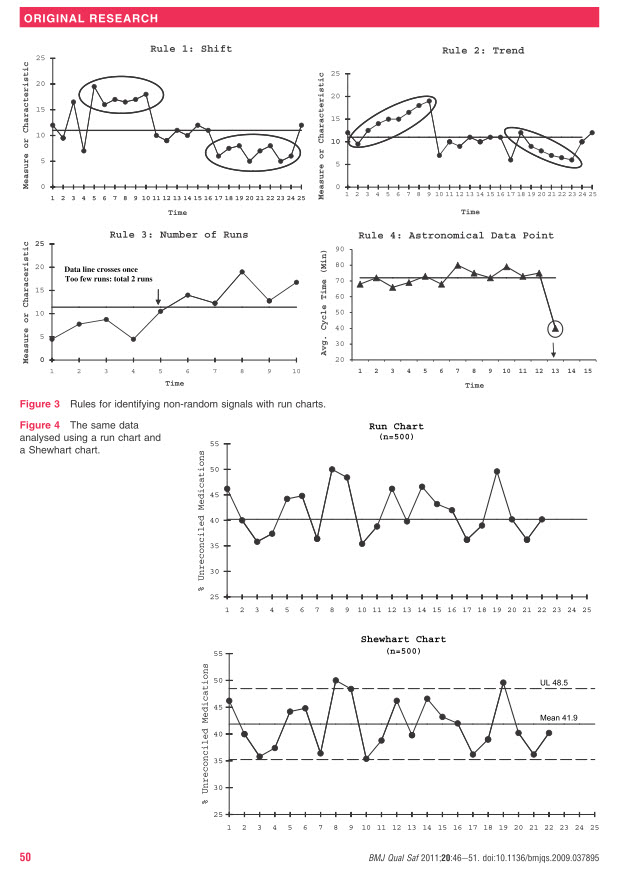
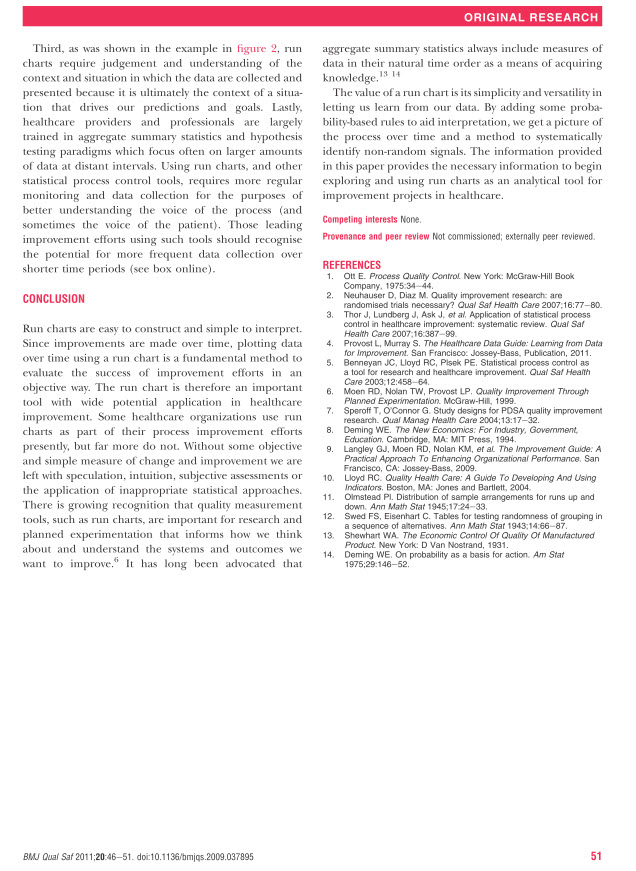
Journal Article: The Run Chart
Instructions for Creating IHI Account & Accessing Certificates of Completion
Go to IHI.org
Click Log In / Register at the top

Click Create Account
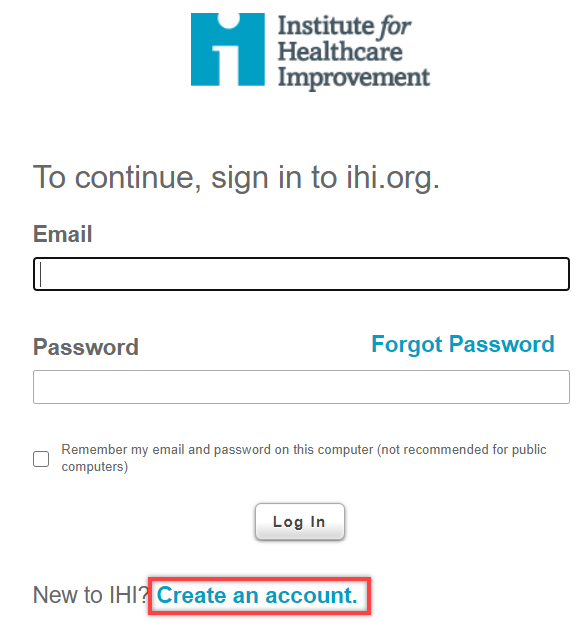
Fill in required information under “Contact Information”
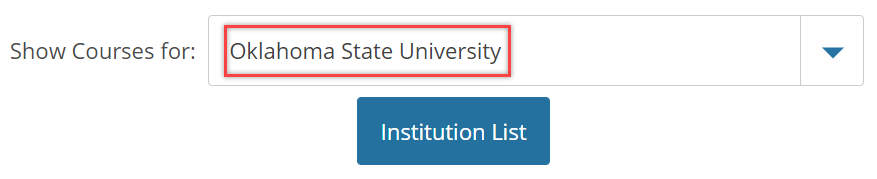
For “Organization,” select “Oklahoma State University Center for Health Sciences – Tulsa, OK”
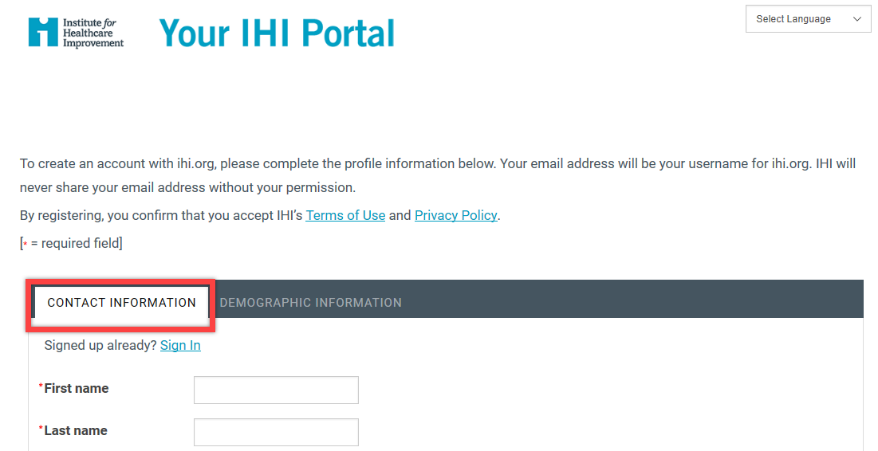
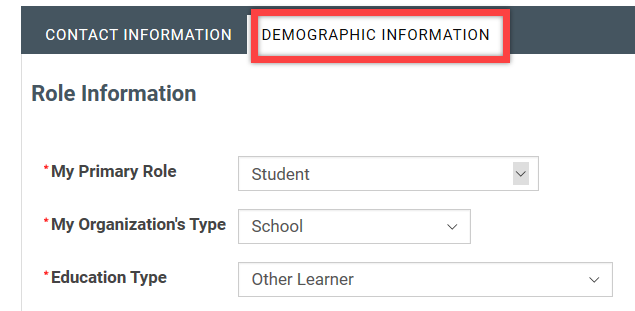
Click “Next” to get to Demographic Information screen & click “Finish” when done. Be sure to select “student” or “teacher/professor” to get free access to learning modules.

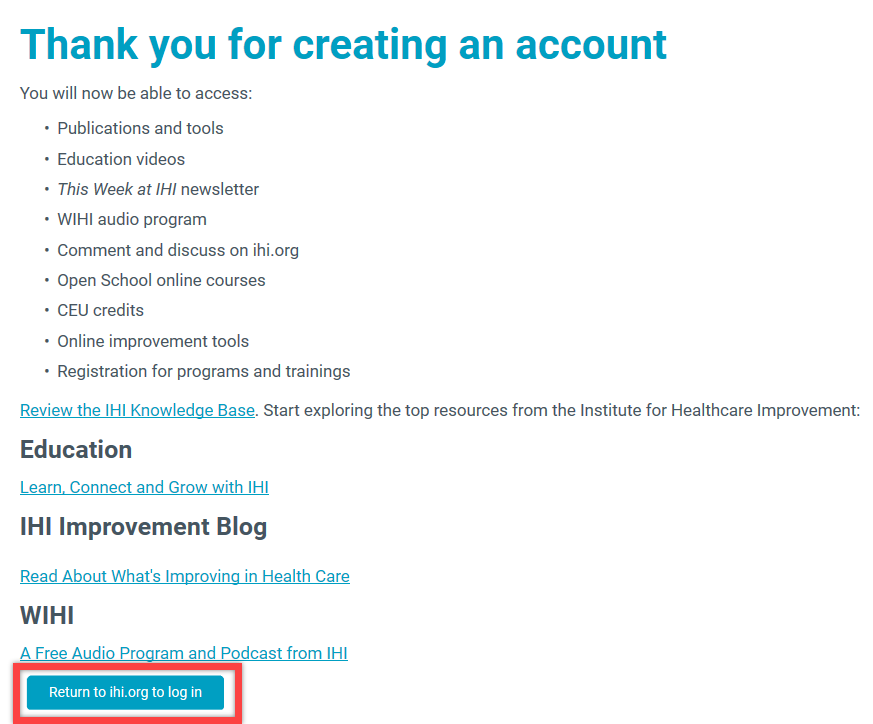
Click “Return to ihi.org to log in”
Accessing IHI Courses for the Basic Certificate in Quality and Safety
- Go to the IHI Learning and Education welcome page
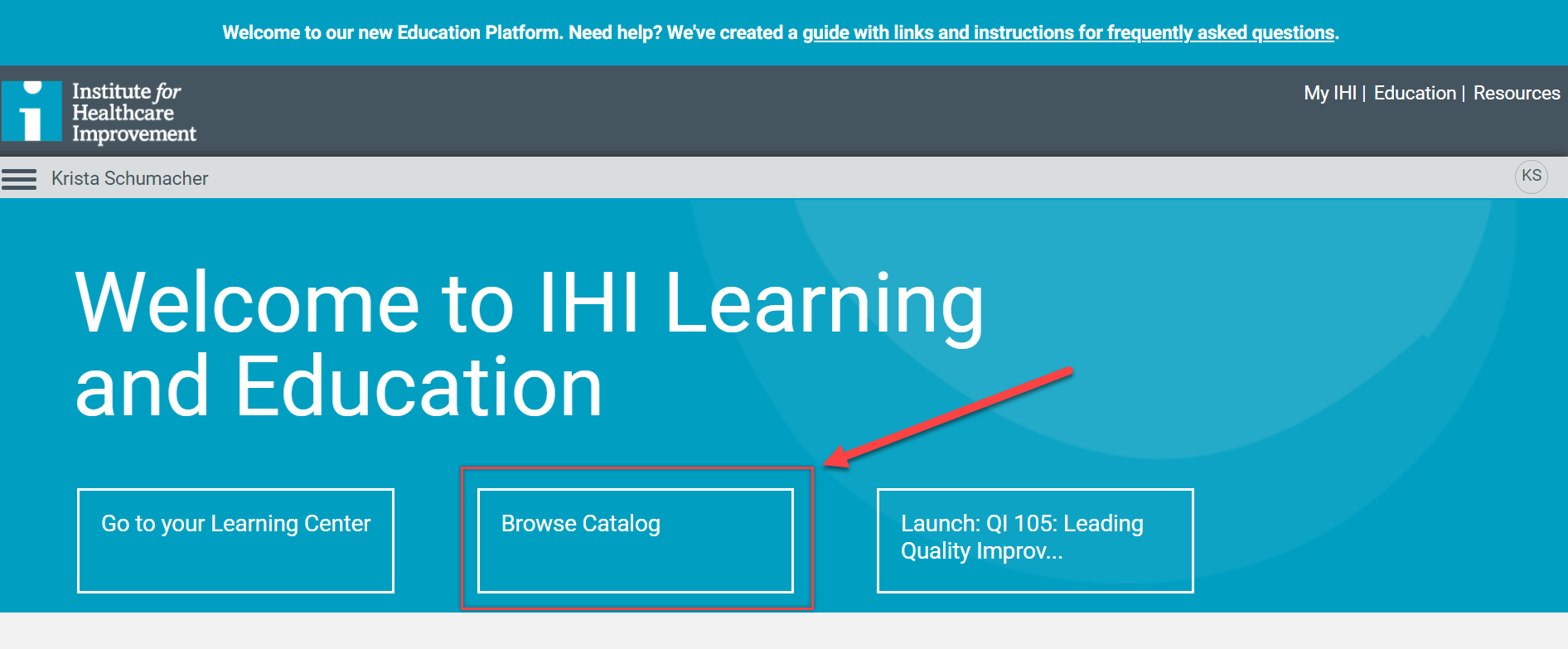
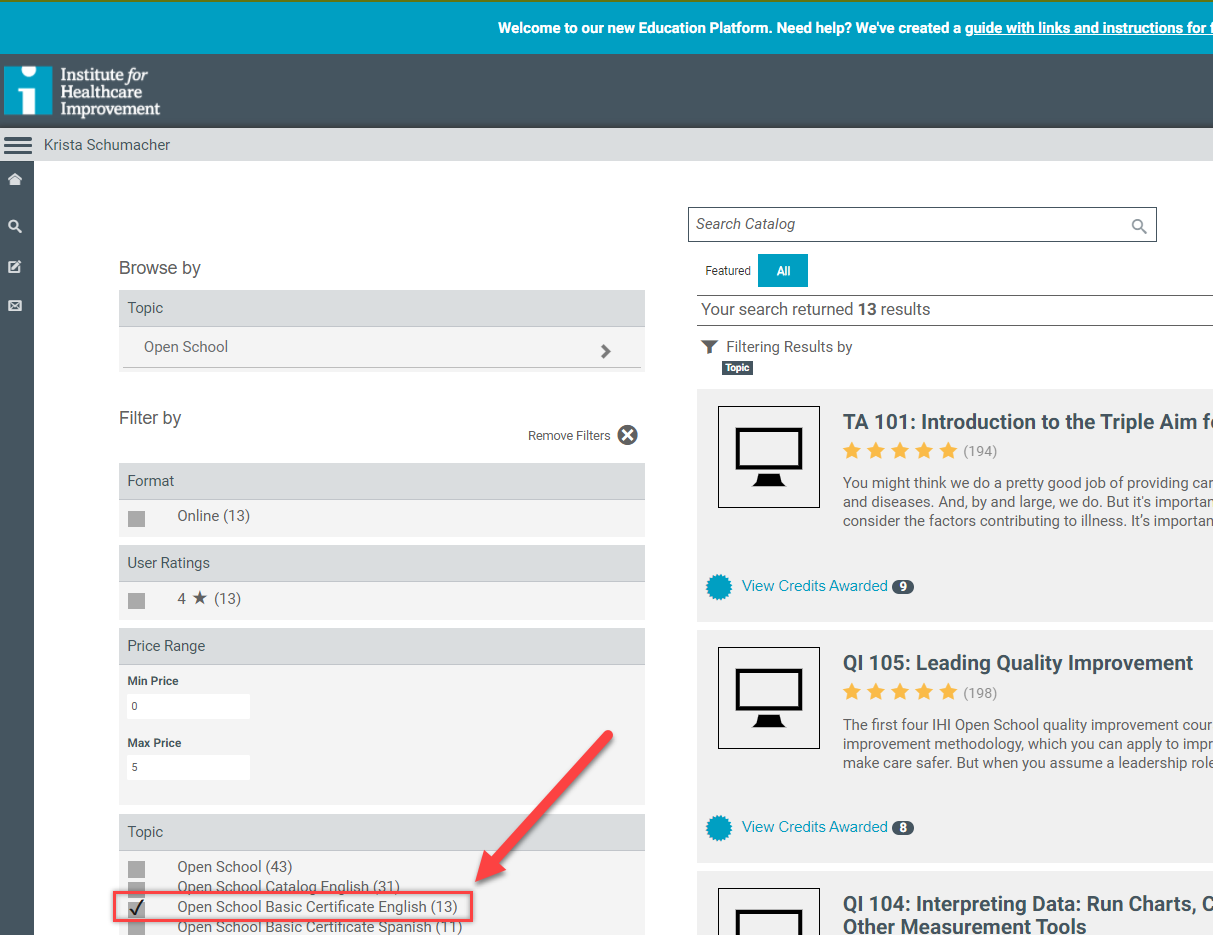
- Check “Open School Basic Certificate English (13).” From there you will see the courses required for the IHI Basic Certificate.
Accessing Certificates of Completion
NOTE: Only the IHI Basic Certificate is required. Individual course certificates are not required. However, if you’d like each certificate, you will need to wait from 24 to 48 hours for certificates to be available after completing a course. If after 48 hours you are still unable to access your certificate, submit a support request to IHI.
The instructions below follow those listed on the page IHI Instructions for Claiming Credits. After you claim your credits, you can find your certificates at the Certificate Center (you will need to be logged into IHI to access the Center).
Individual Course Certificates
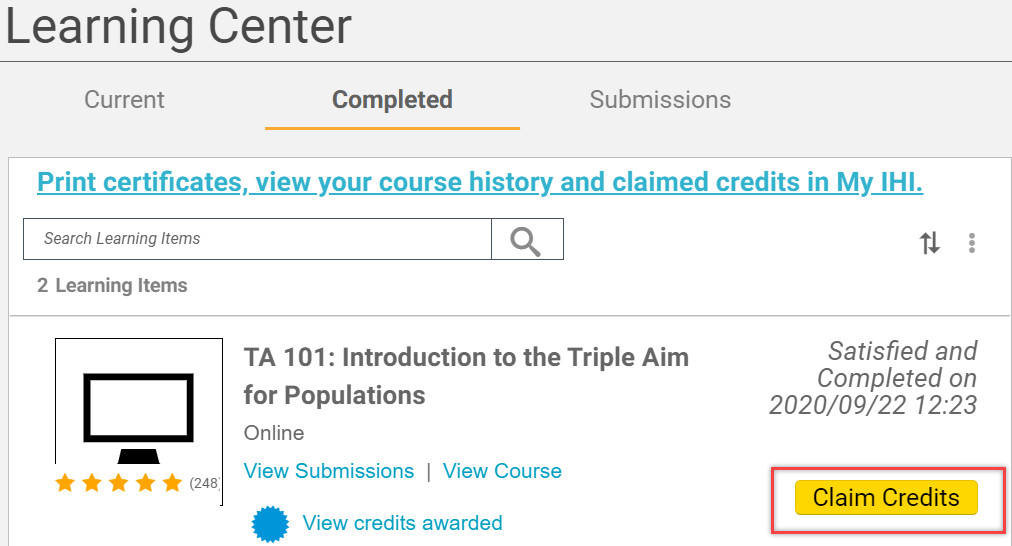
- Click “Return to Learning Center” after completing a course or select “Go to your Learning Center” from the IHI Learning and Education welcome page.
- From the Learning Center, click “Completed.”
- Click the yellow “Claim Credits” button next to the course
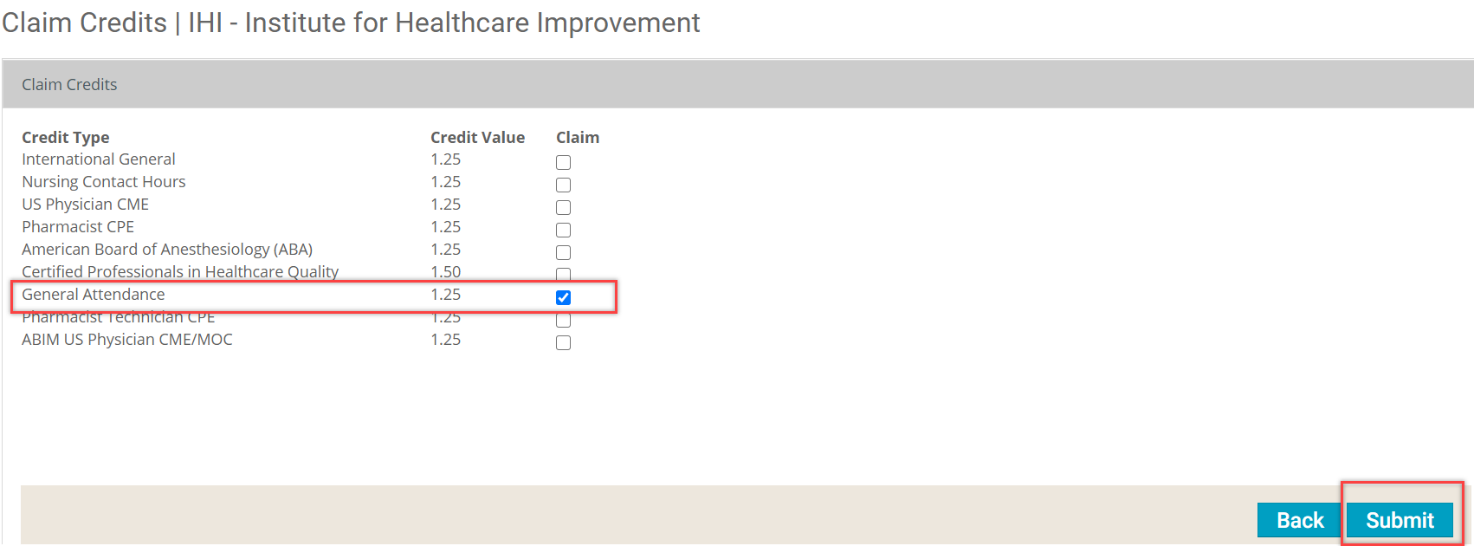
- Check the box for “Credit Type” – students select “General Attendance” – under the “Claim” column; click “Submit.”
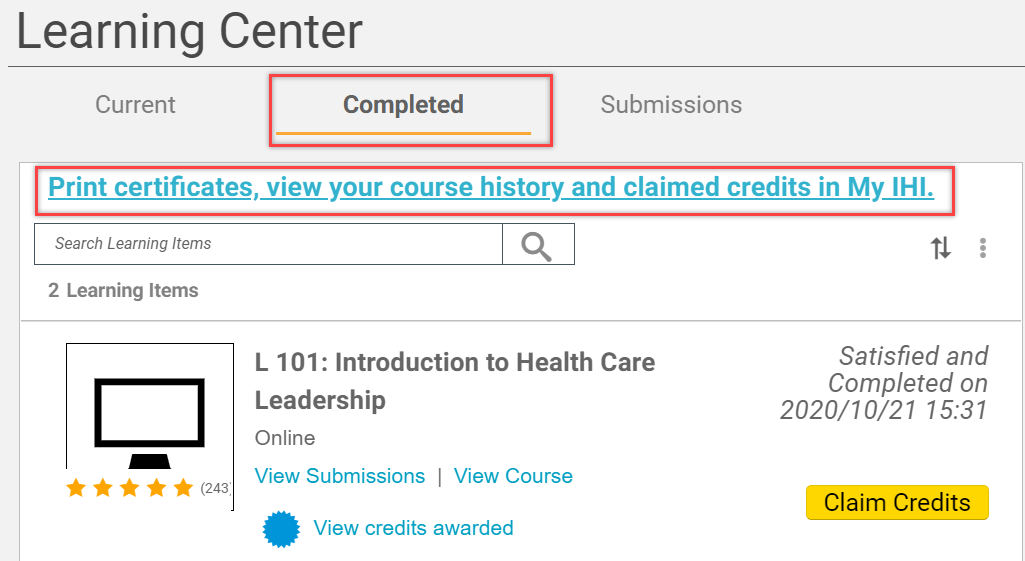
- Back in the Learning Center, make sure you are in the Completed section. Click “Print certificates, view your course history and claimed credits in My IHI” across the top
- This takes you to the Certificate Center to download certificates for each course and for the IHI Basic Certificate.
- Note: It may take a few hours for completed courses to show in your portal.
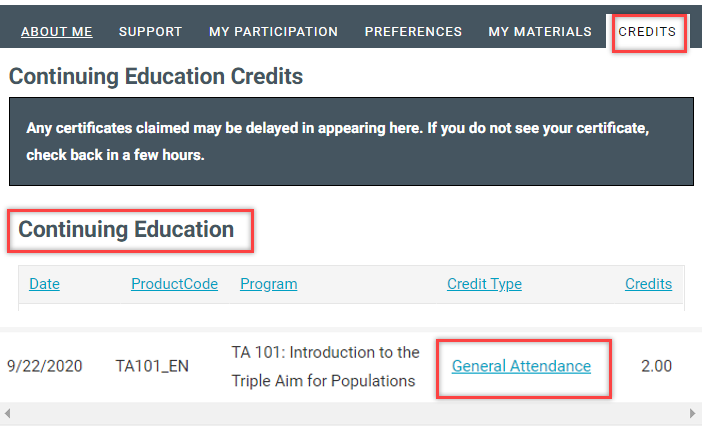
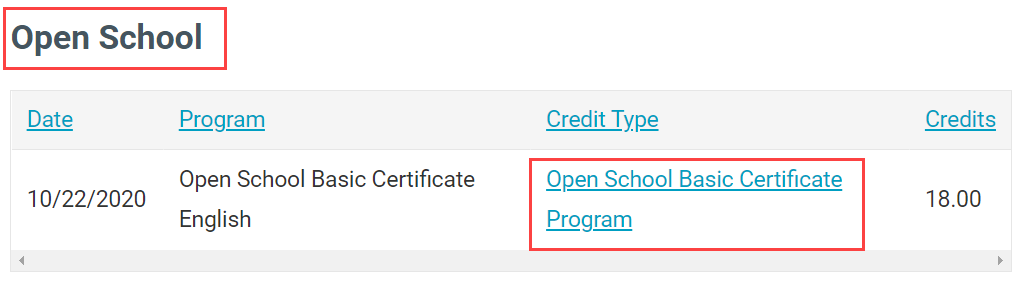
- Make sure the “Credits” tab is selected. Click on the link under “Credit Type” below “Continuing Education.” What your link says will depend on the type of credit you claimed.
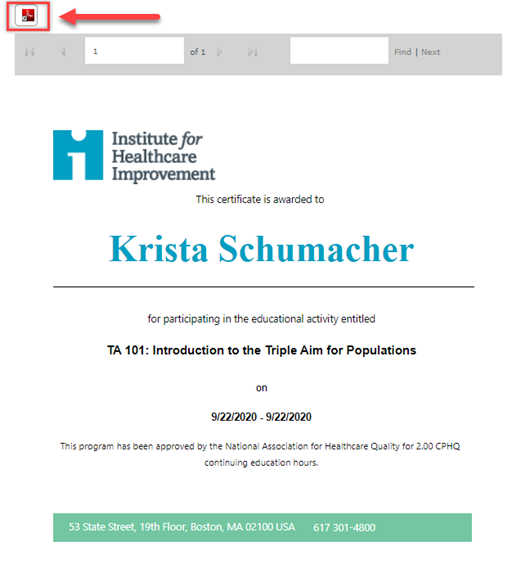
- You will be directed to a page with your certificate and the option to download in PDF.
IHI Basic Certificate (Required)
- After completing all 13 modules required for the IHI Basic Certificate, you will see “Open School Basic Certificate English” on the “Completed” tab in the Learning Center.
- Click “Claim Credits”
- Check the box to claim all 18 credits for the certificate; click “Submit.”
- Return to the Certificate Center. Make sure the “Credits” tab is selected. Under “Open School,” click the link under the “Credit Type” column for “Open School Basic Certificate Program.”
- Note: It may take a few hours the certificate to show in your portal.
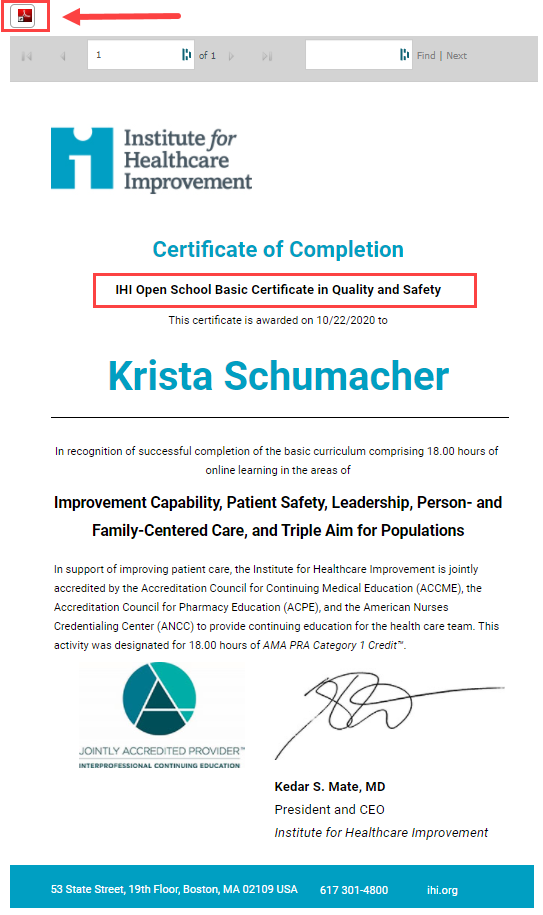
- You will be directed to a page with your certificate and the option to download in PDF.
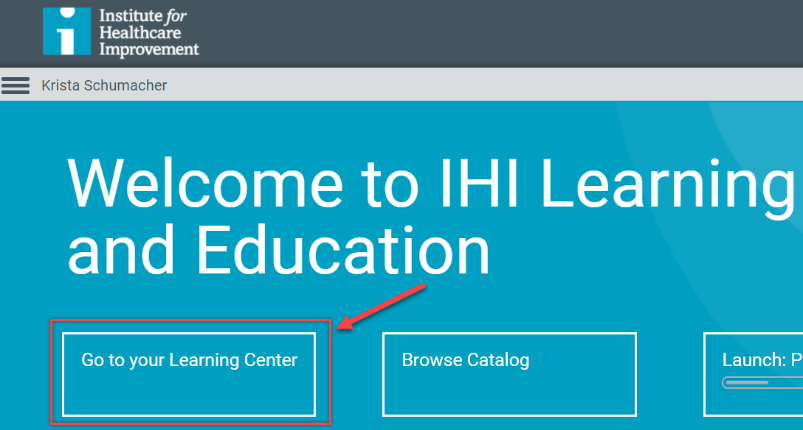 STEP 1
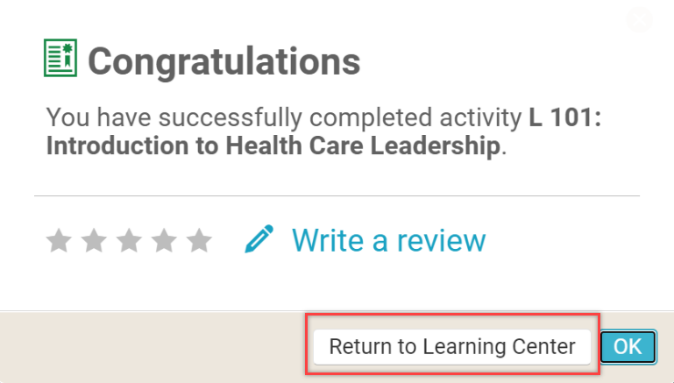
STEP 2
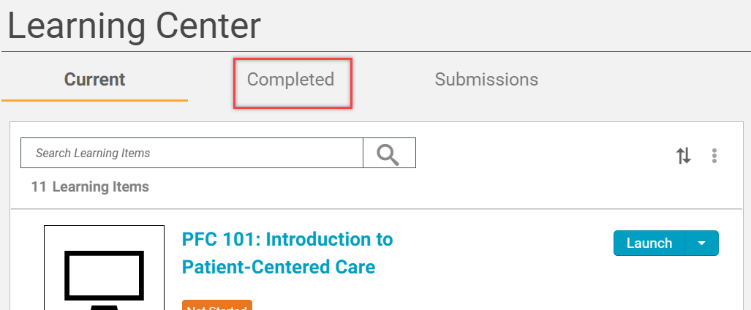
STEP 3
 STEP 4
STEP 5
STEP 6 & STEP 9 (the credit type will vary depending on type of credits claimed)
Certificate for individual course (not required)
 STEP 7STEP 10
IHI Open School Basic Certificate in Quality and Safety (required)
OSU-CHS Institutional Review Board
The information below is provided for informational purposes should you need to secure IRB approval for a project.
All research should be submitted to the Institutional Review Board (IRB) for a determination of whether it needs IRB approval or not. Be aware that the IRB uses “exempt” two different ways. Being “exempt” from IRB review can mean either the project is exempt from full board approval (there are three levels of approval) or that it is exempt from IRB review entirely. Do not make this determination yourself.
If data is being collected directly from people (e.g., survey, interview), then this is considered Human Subjects Research and requires IRB approval.
Visit the Human Subjects Research/IRB page at OSU Center for Health Sciences for more information. This page includes all information needed to submit an IRB proposal (see IRB Manager section) and includes a link to the IRB Manager Portal. You will need to register for the Portal to gain access.
If your project requires IRB approval, you will need to complete online training provided through the Collaborative Institutional Training Initiative (CITI). See information about training under the FAQs section of the IRB website, General Questions.
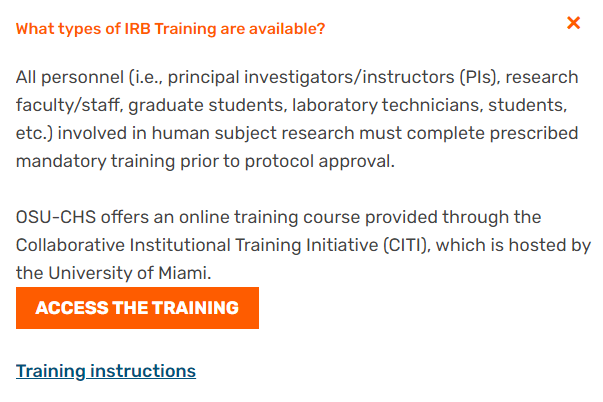
CITI Trainings Required for OSU-CHS IRB –

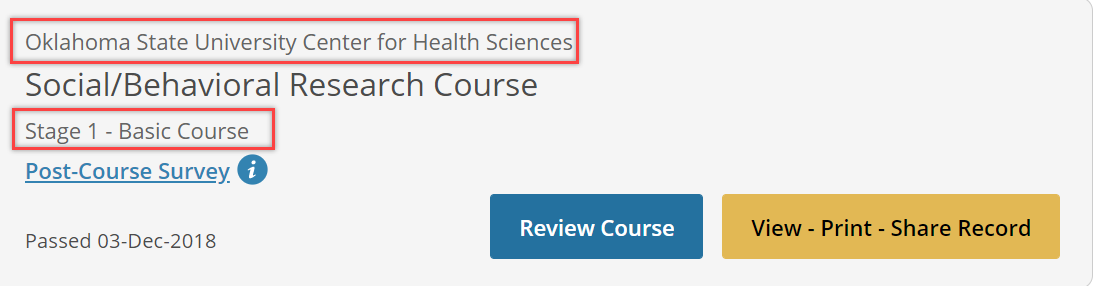
CITI Trainings Required for Survey Research –